From SMS to Email: The Platform Built For Collaborative Customer Conversations
Share:
We recently introduced our new customer messaging pilot, with a single, collaborative inbox where teams can manage SMS and web chat conversations side by side.
Since then, we’ve been busy. Really busy.
We’ve expanded what the application can do, sharpened how teams can collaborate inside it, and added intuitive tools to make customer conversations easier to manage and act on.
Here’s what’s new:
Email Joins the Inbox
We’ve added email in addition to SMS and web chat, for more channel integration in one space (text, chat, and email). This means even less app juggling to stay on top of conversations.
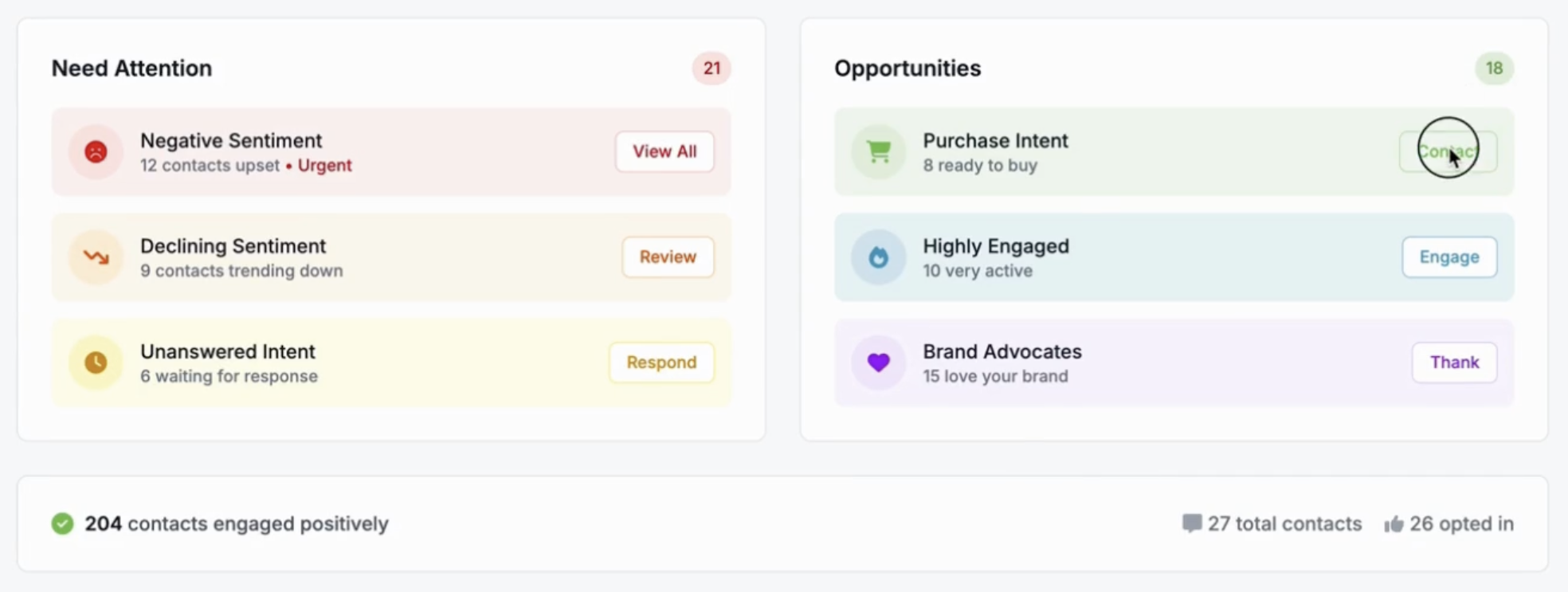
Contact Organization by Sentiment
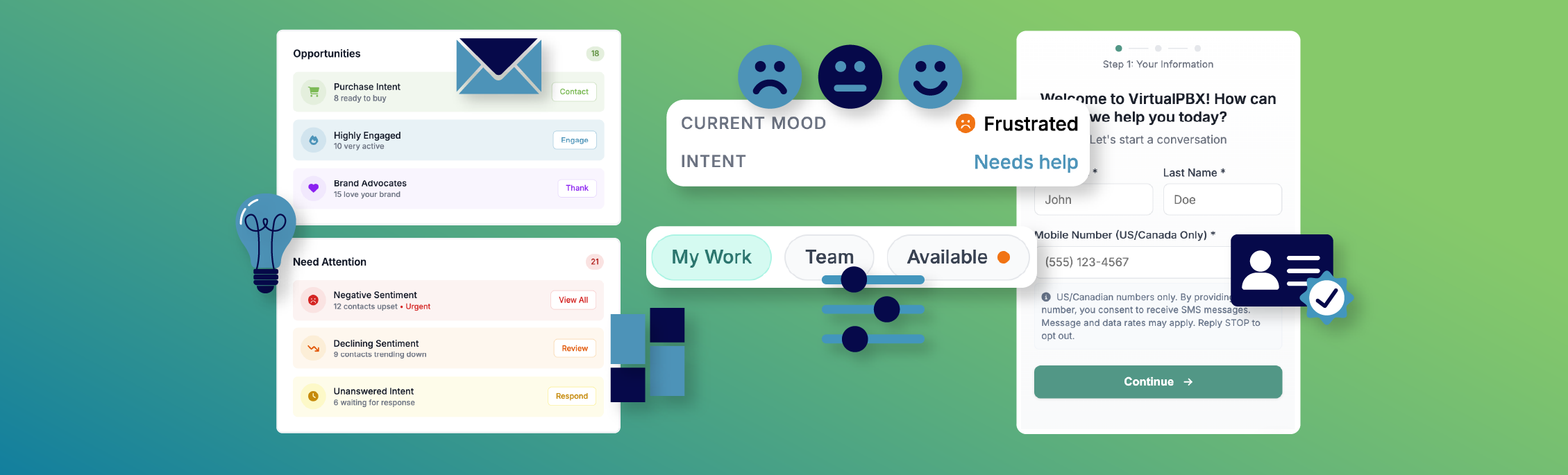
Your contacts are now sorted by what they’re feeling or how they’re interacting with your brand. With each category, the system prompts your team to respond, engage, thank, follow up, review, and more—helping you act quickly and effectively.
Inbox Filters That Match the Way Teams Work
We’ve added new filters so you can instantly see what matters most:
My Work – What’s on your plate.
Team – Conversations your team is handling.
Available – What’s open and ready for someone to grab.
Customer Profiles with Context That Matters
Every profile now includes intent and current mood so you don’t just see a name, you see the state of the conversation. This means your team can step in with a matching tone right from the start.
Robust Contact Verification
Why Contact Verification Matters
After listening to our testers and making our own internal evaluations, we made a strategic choice: any new or unknown contact must complete a verification step before sending messages. This balances accessibility for genuine users with protection against spam, bots, and fraud, making integration among your channels both secure and authentic.
How It Works
Initiation – When an unfamiliar contact begins a conversation, they’re prompted to verify their identity before proceeding.
Seamless Experience – The verification flow is quick and unobtrusive, designed to protect your team’s inbox without disrupting the user’s experience.
Prioritizing Trust – This feature ensures that your team only engages with real, verified users to raise the overall quality and reliability of every interaction.
Workforce Management That Keeps Teams on Track
We’ve restructured the platform so it’s easier to stay organized, on task, and in context:
New contact dashboard that highlights customer sentiment and guides action.
Outstanding tasks appear right inside conversations.
Task creation and due dates help ensure nothing slips through the cracks.
Cleaner menus and conversation sidebars keep focus sharp.
“Our new messaging pilot feels like a fusion of Microsoft365, Outlook, Slack, and Discord. It’s really straight foward to use. The UI is clean and simple. It’s really supercharged our communications, both internally and externally. And all of our team emails, texts, web chats, and notes can be viewed by everyone involved.”
– Jay Alba, VirtualPBX
Seats Are Limited, Don’t Miss Out
We’re just getting started, and we’d like you to be among the first to shape what’s next.
Sign up for the waitlist today at VirtualText.com and be one of the first to try the new collaborative customer messaging platform built for real teams, real customers, and collaboration that goes beyond just combining your channels into intelligent integration and teamwork from anywhere.
Complicated plans, hidden overages, and nonexistent support aren’t our thing.
VirtualPBX Smarter Voice gives small businesses everything they need to sound professional, stop missing calls, and capture every opportunity in one simple plan.
We don’t share your info and we don’t spam. Just company and product updates that matter.
Blog Categories
Complicated plans, hidden overages, and nonexistent support aren’t our thing.
VirtualPBX Smarter Voice gives small businesses everything they need to sound professional, stop missing calls, and capture every opportunity in one simple plan.
Capture more leads, respond 24/7 with AI agents, and manage every message in one shared inbox. After your trial, you will be converted to our $99/mo VirtualText Chat Plan.
Test Us
Ask us anything.
We’ll answer, brainstorm, or just give you a number you can run with. If we don’t know the answer, we’ll find it. Zero pressure. No judgement. Just help.